Features

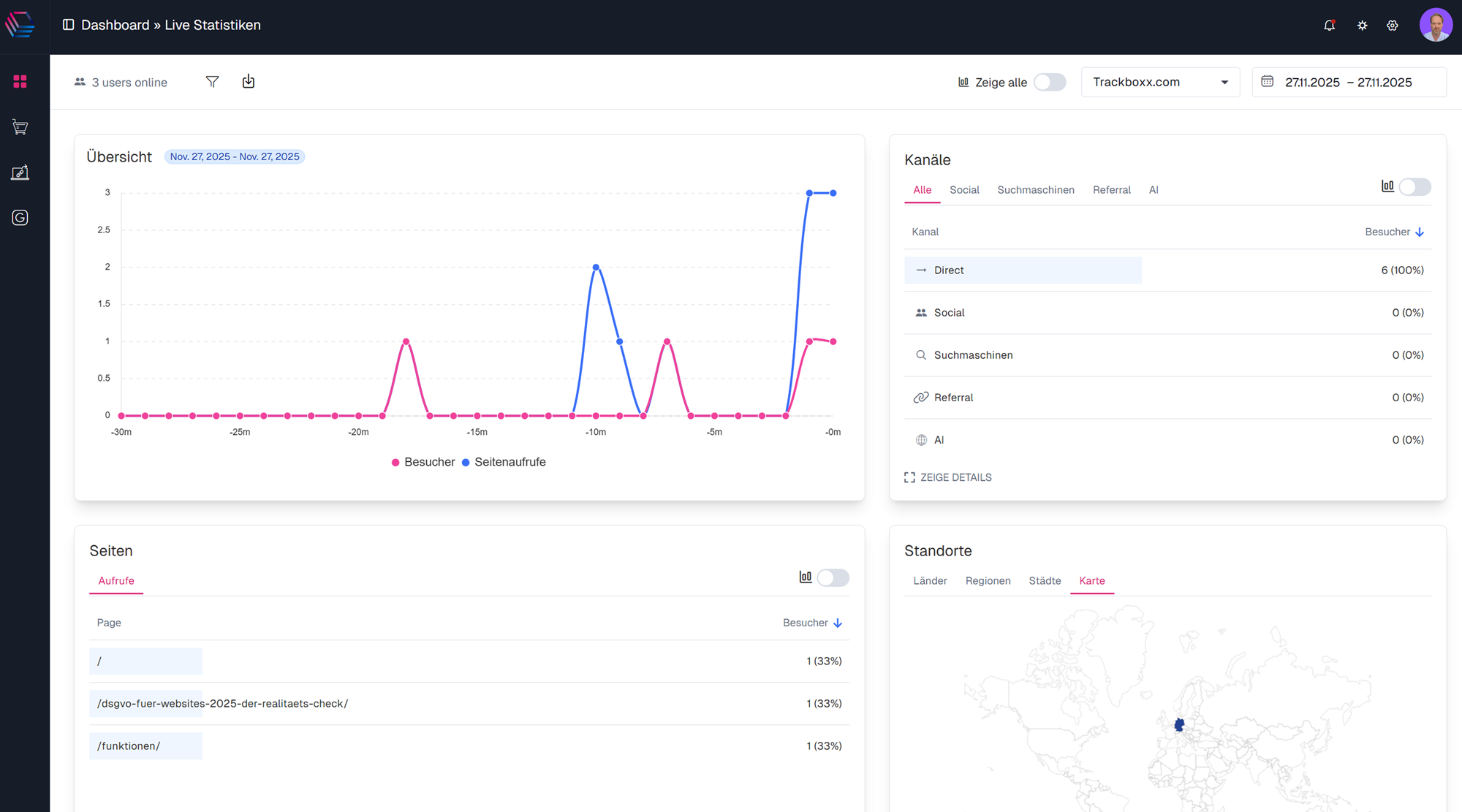
Visitor Numbers

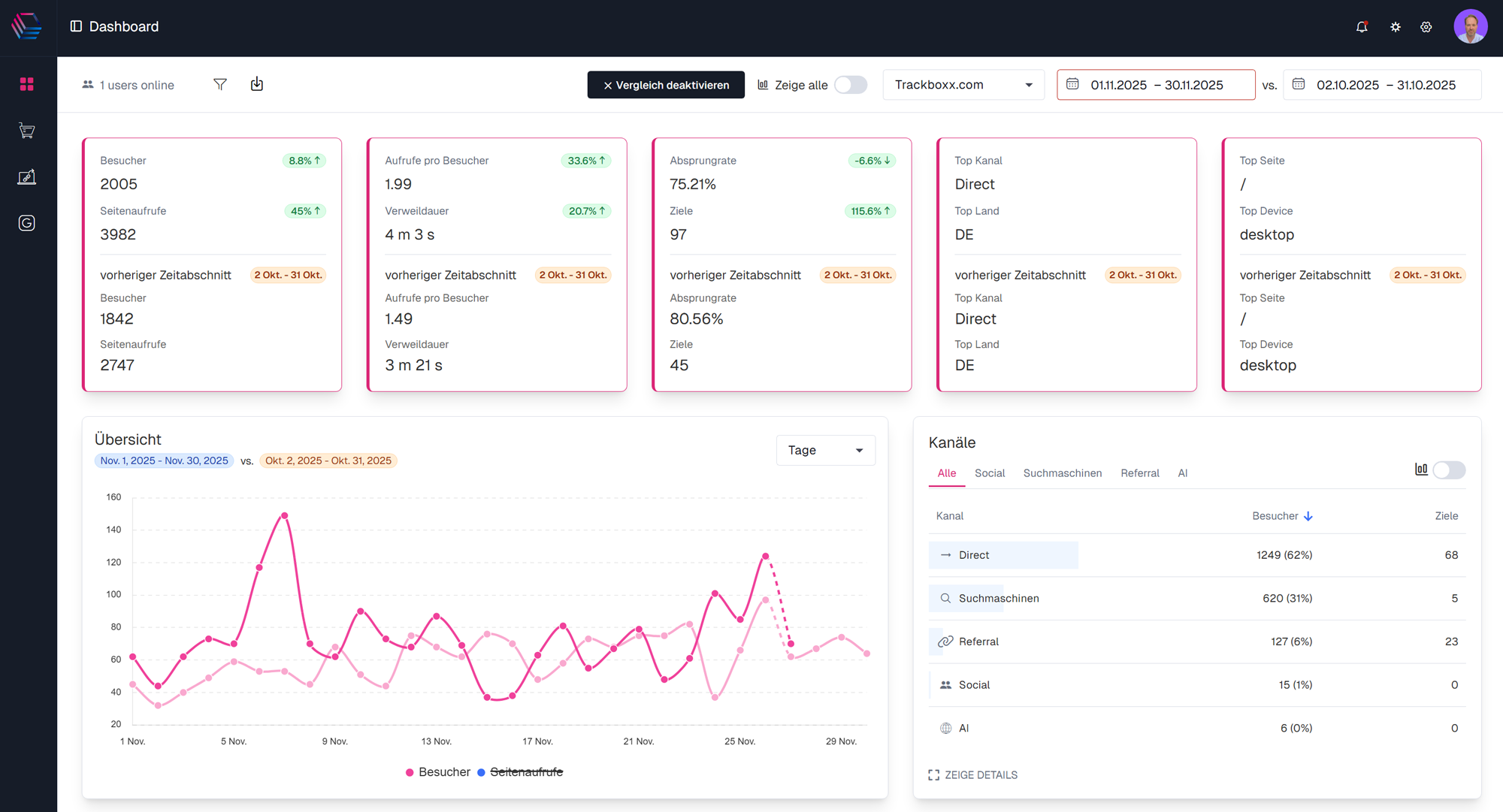
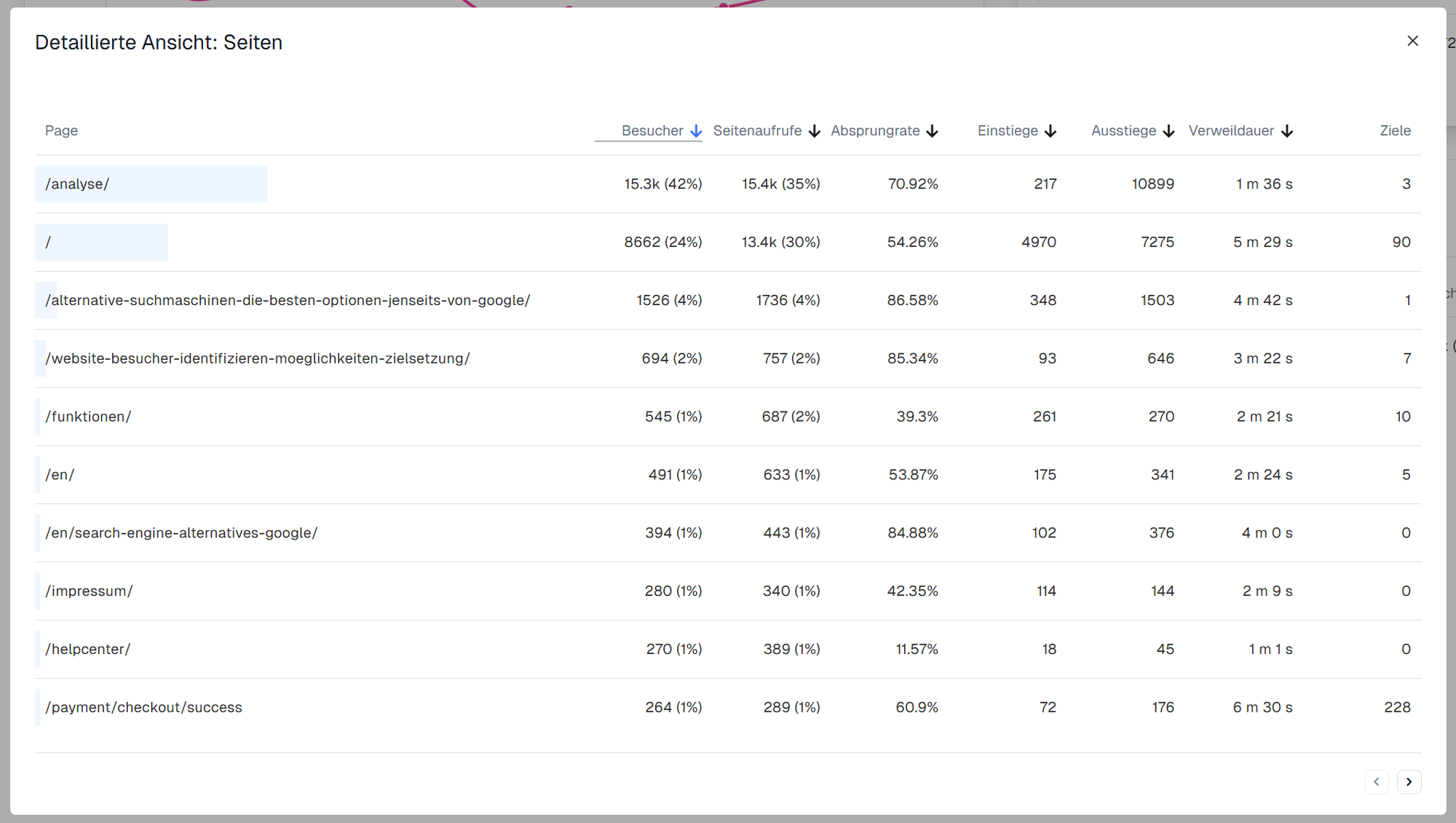
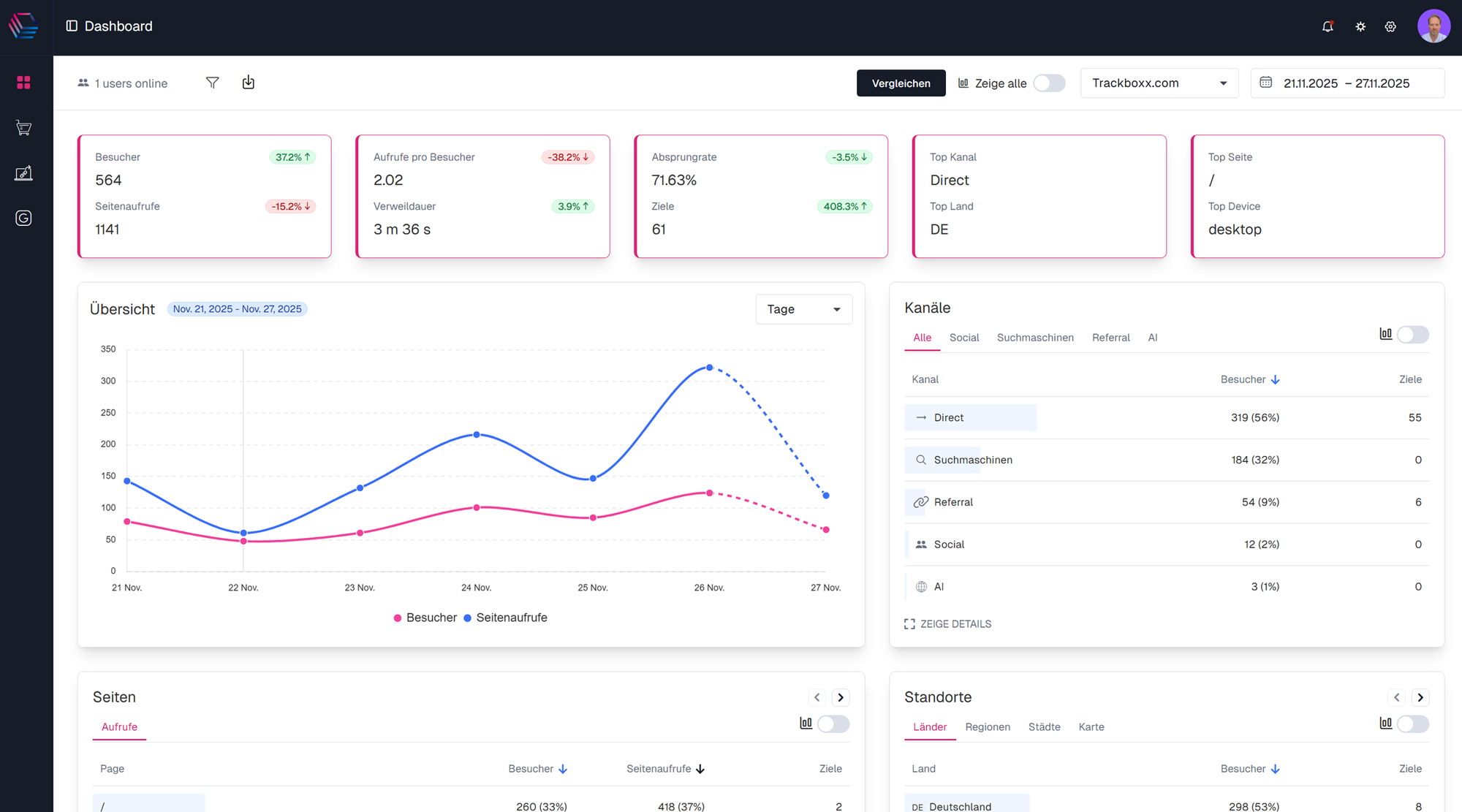
How many visitors does my website have, when is it particularly busy and when is it particularly slow, and which subpages are particularly popular? The Trackboxx answers these questions by clearly presenting the most important values. For an even better overview, you can select a specific time period.

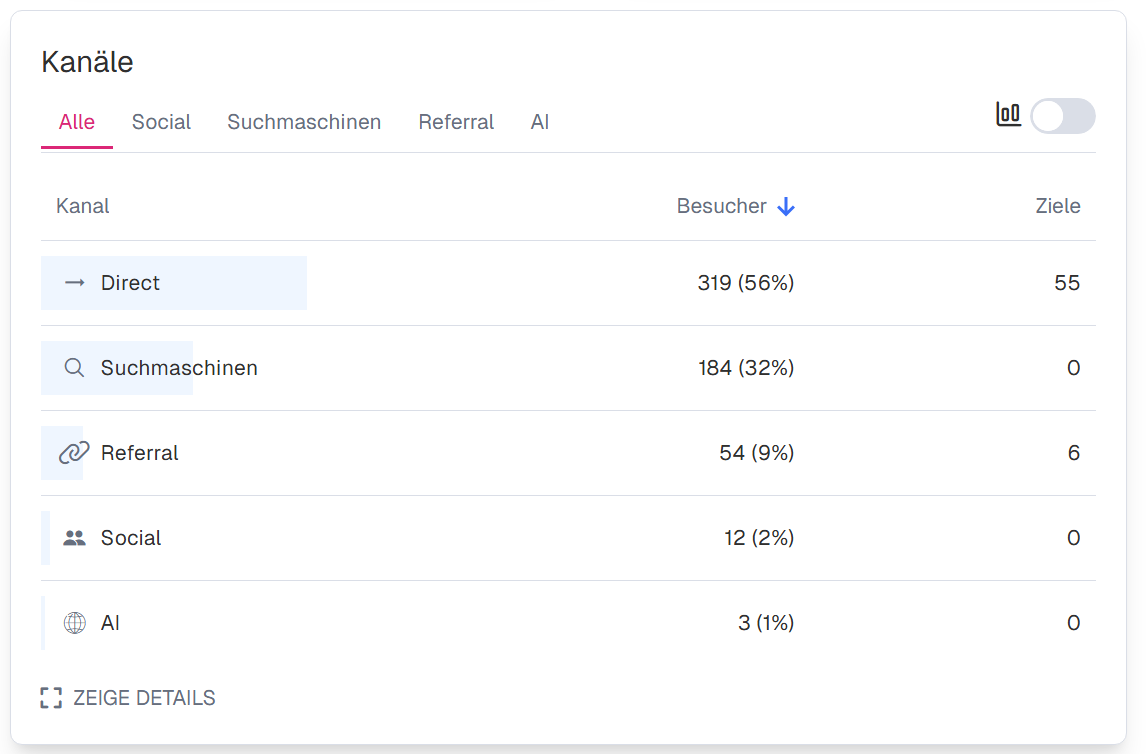
Channels

Where do your visitors actually come from – and which traffic really pays off in the end? Trackboxx neatly summarises all channels for you: direct, search engines, referral, social and even AI traffic. This allows you to see immediately which channel is performing well, which is just “nice” and where optimisations are really worthwhile. With a selected time period, you can also identify trends, peaks and potential – without any guesswork.
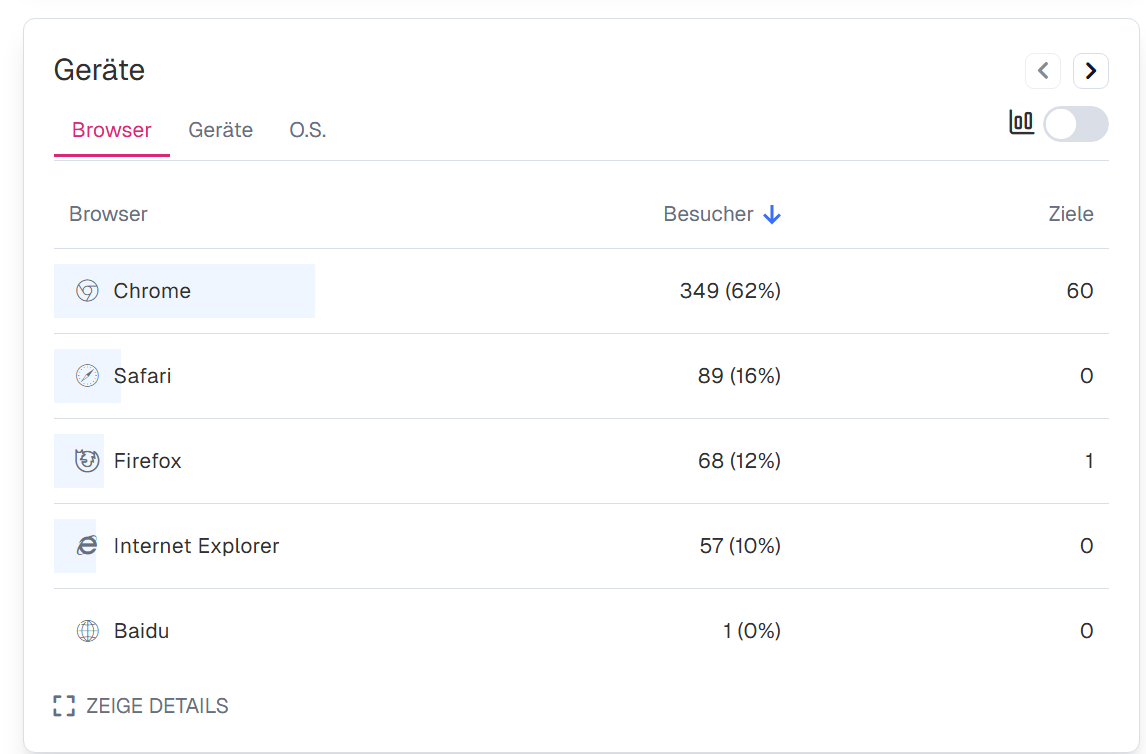
Browser & devices

In your personal Trackboxx dashboard, you can see which devices and browsers your website visitors are using. This information helps you optimise your content accordingly – especially when you link the data to other values such as the bounce rate.

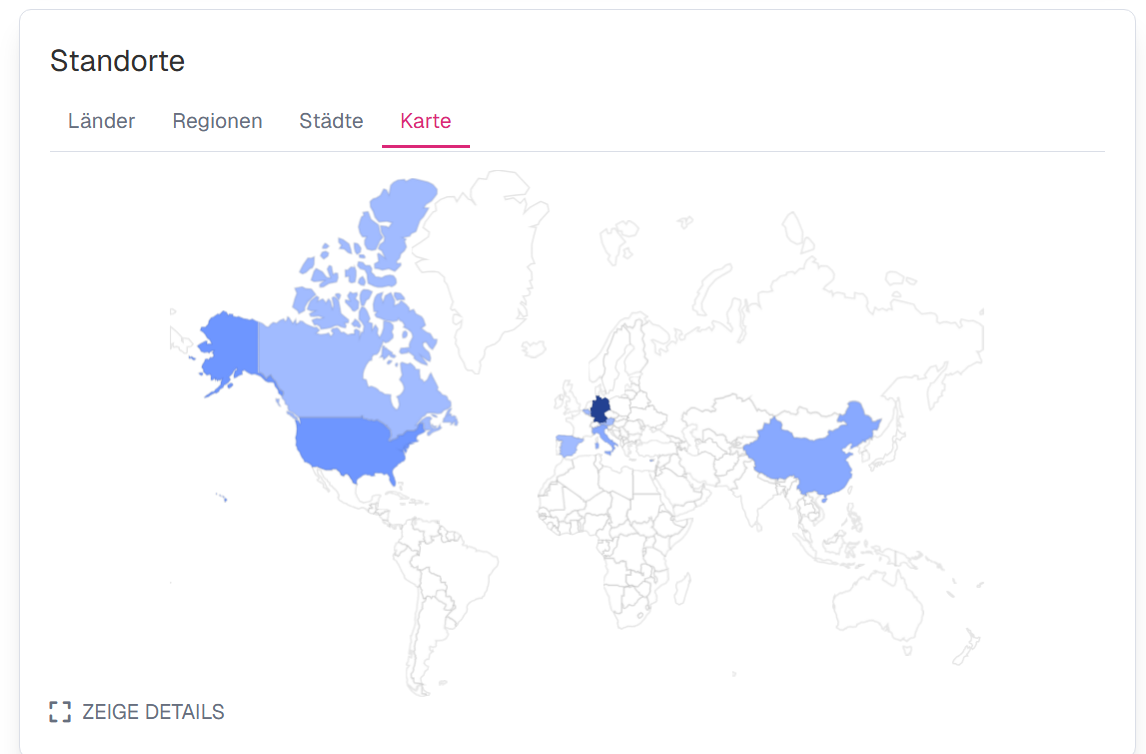
Regions & Cities

In your Trackboxx dashboard, you receive a detailed overview of the exact origin of your website visitors. We categorize this information by country, region (state), and city. Combined with data such as conversions, you can precisely see which regions and/or cities are performing particularly well.

Live Data

Second-by-second analysis of your website visitors. With Trackboxx, it's no problem at all. The most up-to-date data about your website is displayed every 10 seconds.

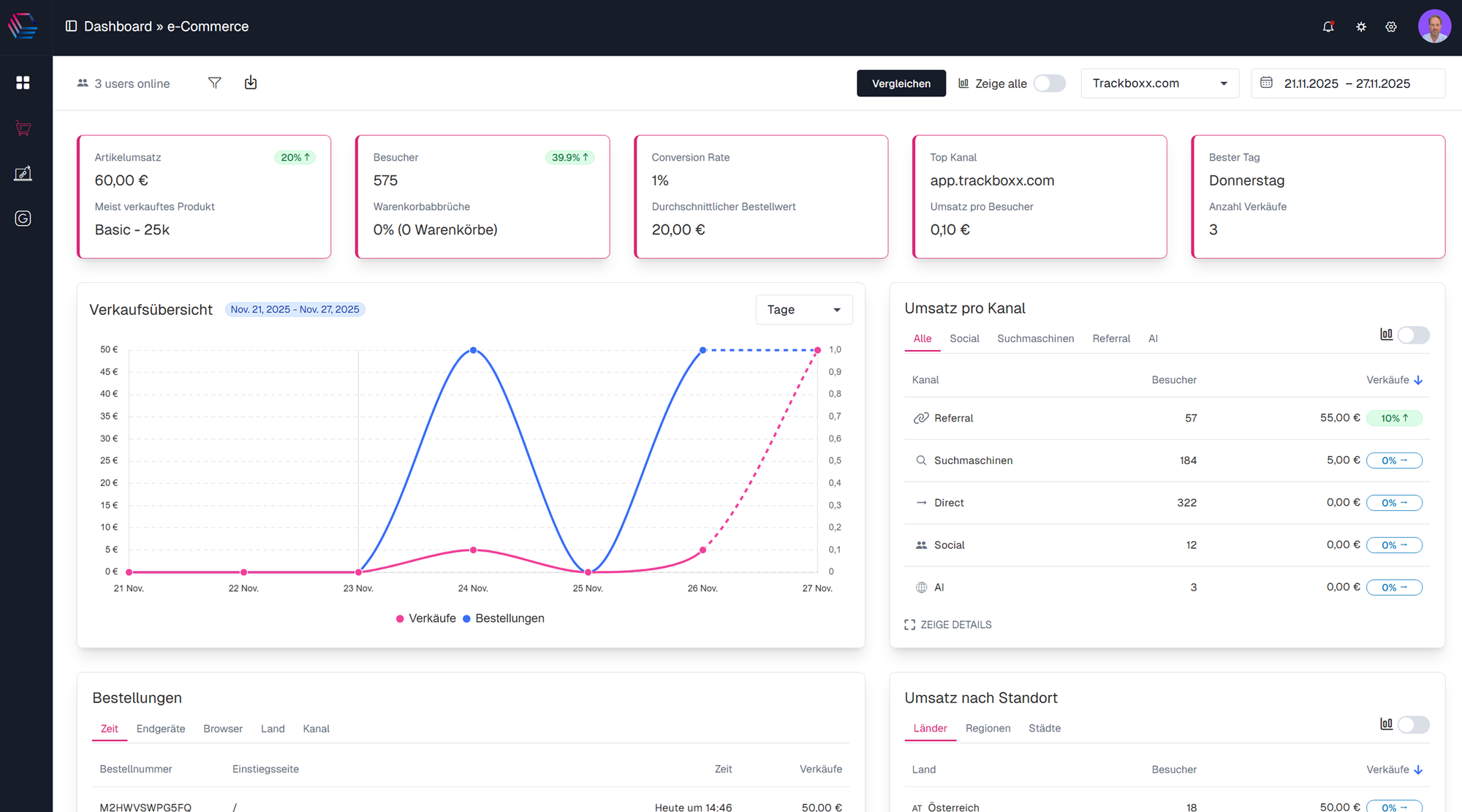
E-commerce data for your online shop

Trackboxx provides you with a complete overview of your e-commerce data. This includes your sold products, an overview of your channels and the revenue they generate, your cart abandonment rates, your top products, and much more.

shopping cart abandonment rate

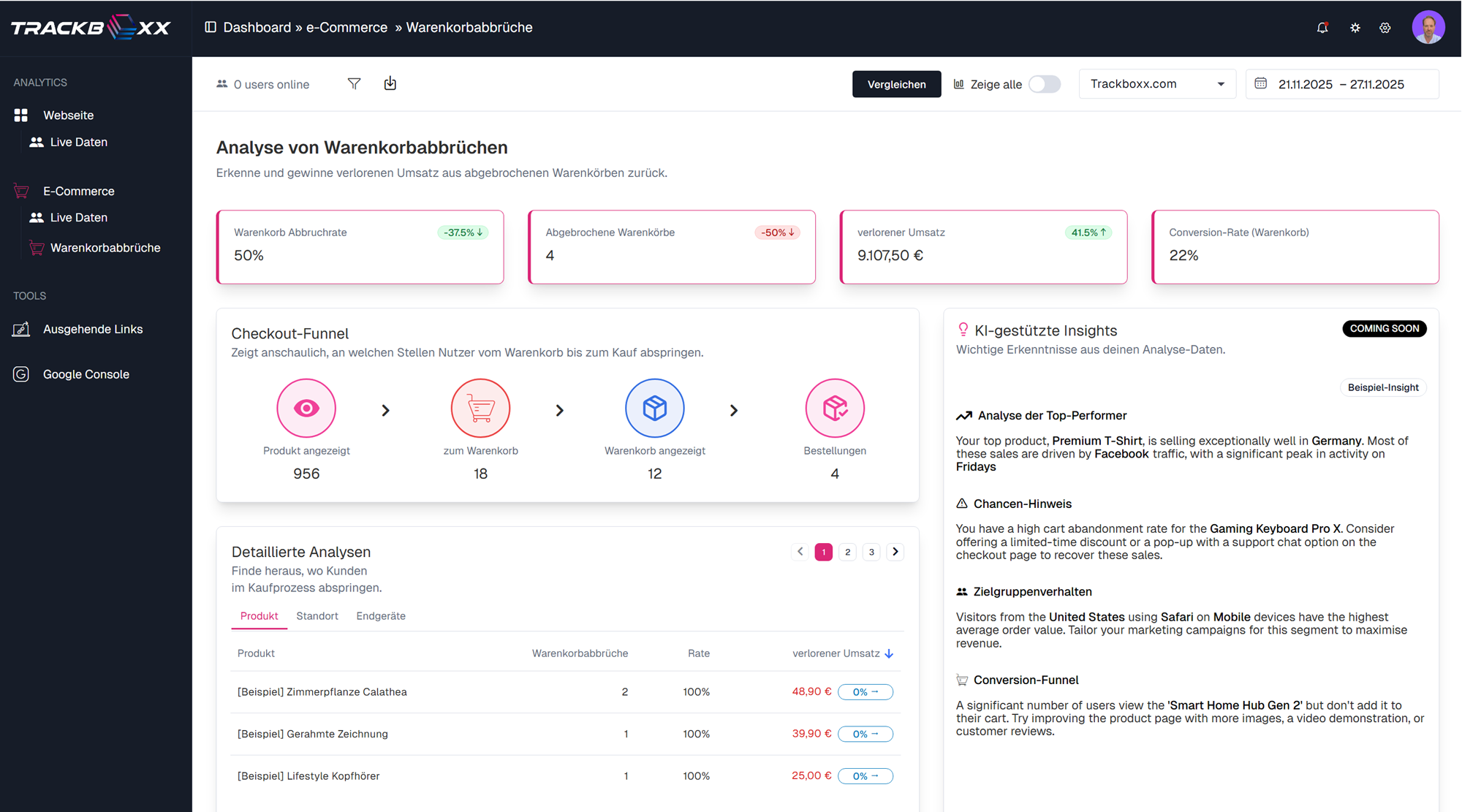
How many users add items to their shopping cart but then abandon their purchase? Trackboxx shows you exactly this metric – clearly, comprehensively and without unnecessary data. This allows you to see at a glance whether forms are causing problems, shipping costs are putting customers off or the checkout process is creating unnecessary friction. And when you select a time period, you can immediately see whether your optimisations are having an effect.

Revenue per channel

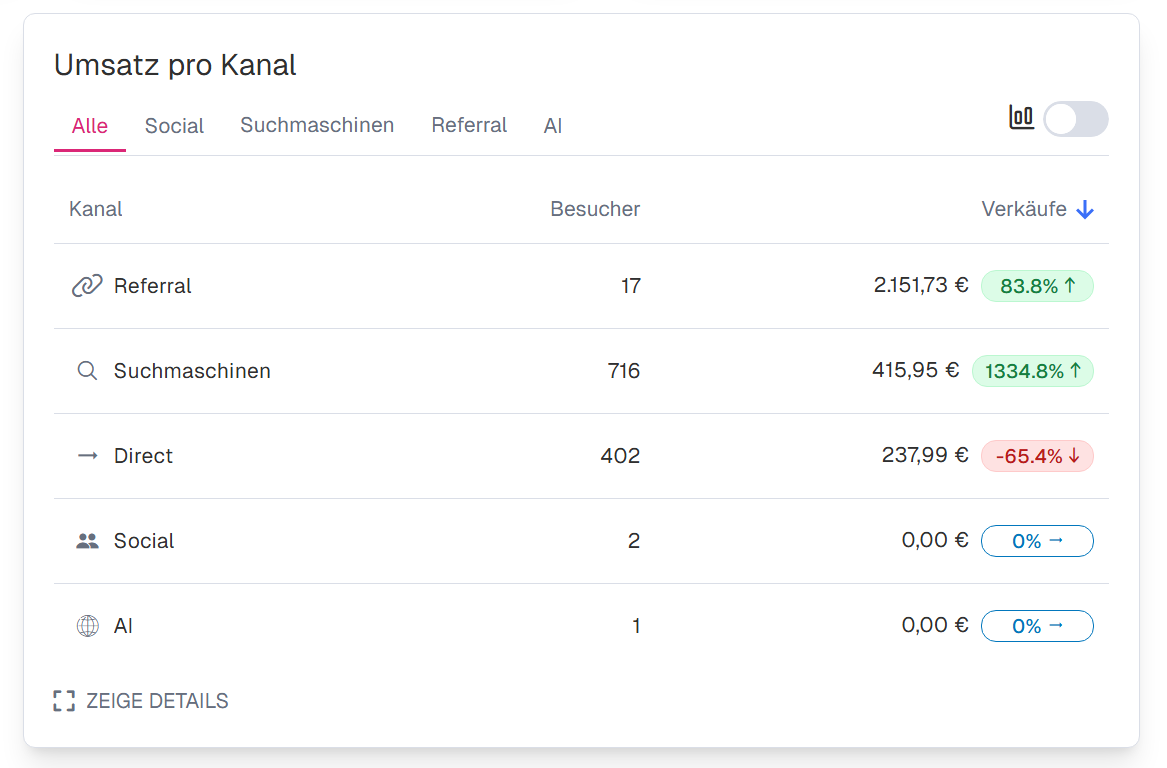
Which channel really brings in the money? Trackboxx shows you the revenue per traffic source – clearly separated into direct, search, social, referral or AI. This allows you to immediately see which channels are driving revenue, which are just delivering visitors, and where your budget or optimisations are really paying off. Perfect for data-driven decisions without guesswork.

Revenue by location

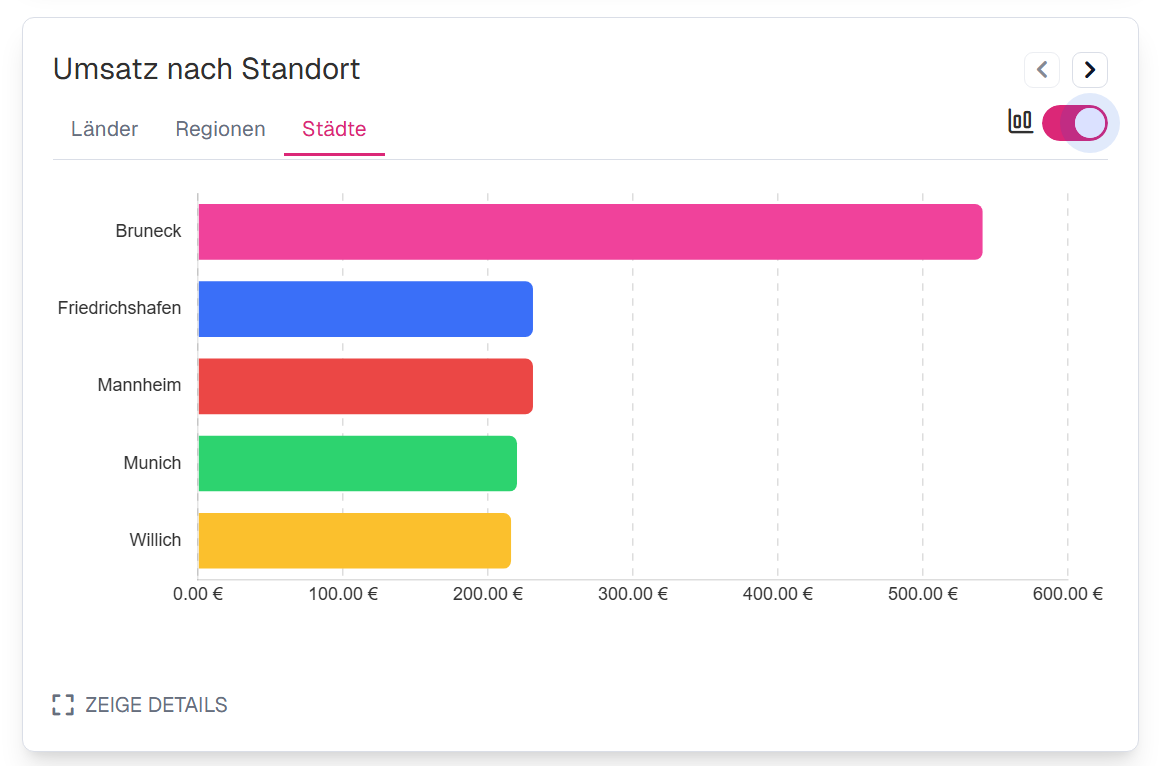
In which regions is your business doing really well – and where is there still potential? Trackboxx breaks down your sales by country, city and region. This allows you to see immediately which locations generate strong buyers, where people are just browsing, and which target groups are worthwhile on a regional basis. Ideal for refining campaigns, rolling out regional offers or discovering new markets.

Conversions / Goals

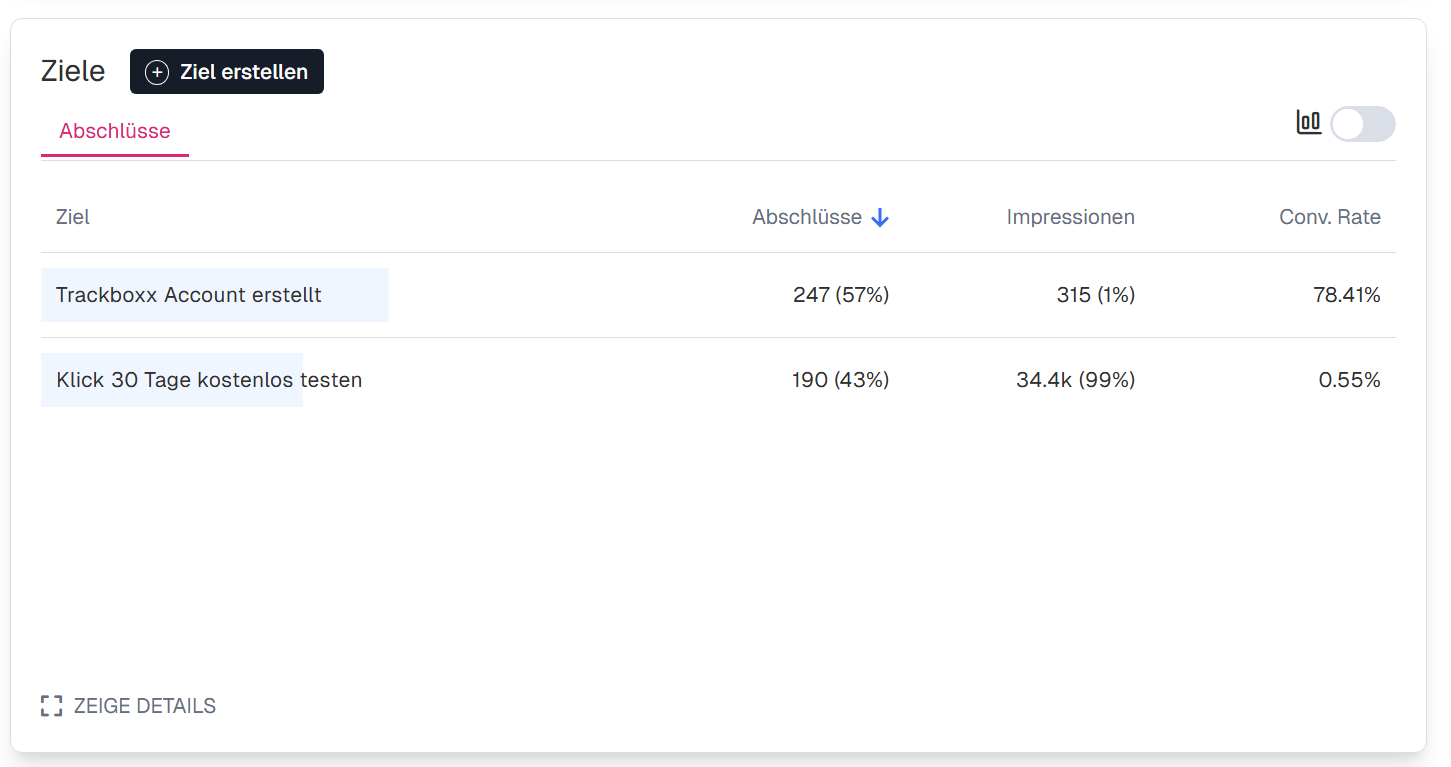
Only those who know their goal can take the right path. With the Trackboxx you can check to what extent your target projects are fulfilled. This can be, for example, the click on a download button or the sending of an inquiry via a contact form. How to set up conversion tracking, you will learn in our Helpcenter.

UTM tracking

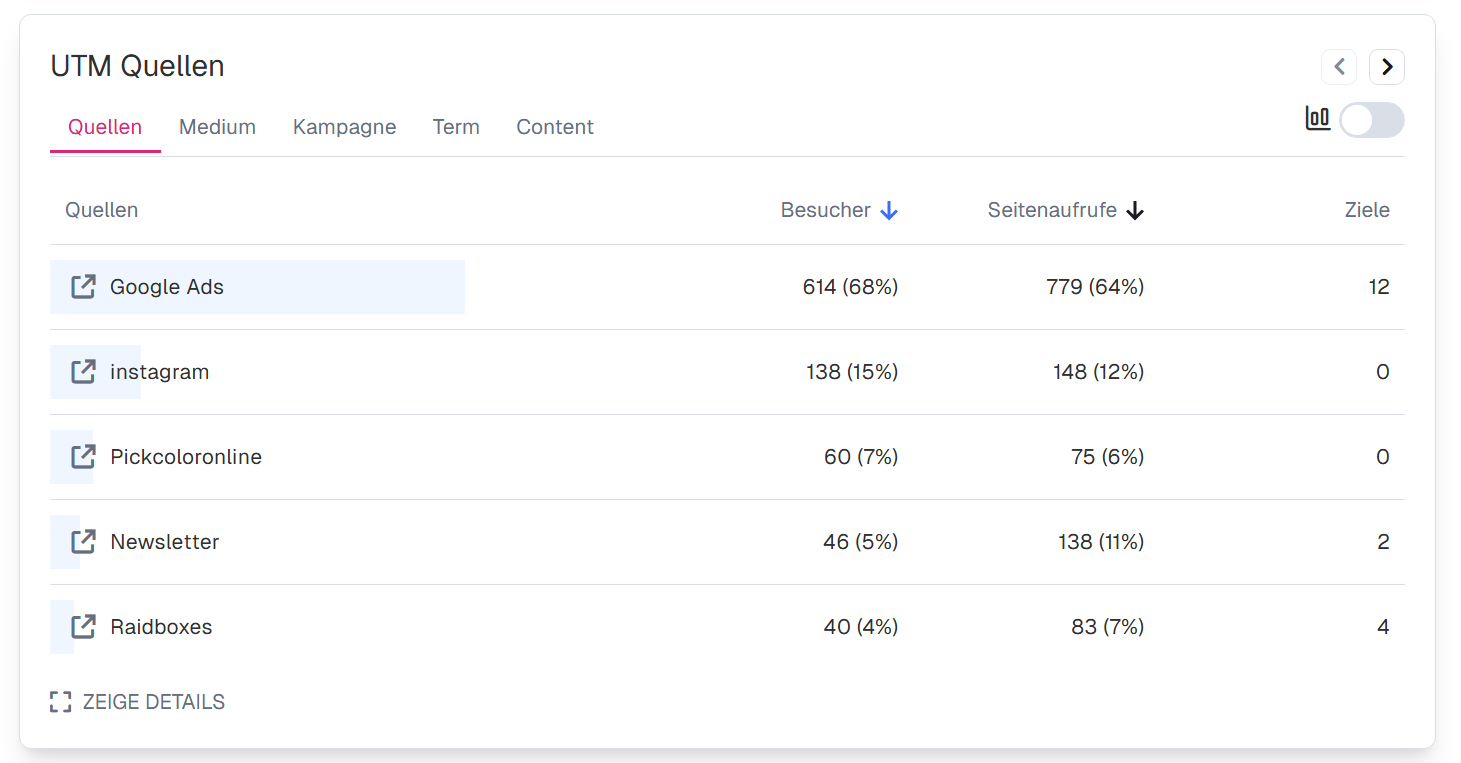
Trackboxx UTM tracking helps you understand which advertising campaigns (banner ads, social ads, etc.) are particularly successful. Without UTM parameters, for example, you can only see the traffic coming from Facebook. With the UTM parameters, you can see in the Trackboxx exactly which post is causing the traffic. UTM tracking supports you in designing better campaigns. You can get more information in our Helpcenter.

Comparisons of time periods

How is your website performing now compared to before? The Trackboxx comparison function places two time periods directly side by side and shows you immediately where your figures are rising or falling. Ideal for evaluating optimisations, identifying seasonal effects or better classifying traffic fluctuations – clear, understandable and without the stress of analysis.

Bounce rate & dwell time

With Trackboxx, you can analyse how long your users stay on your site on average. Bounce rate and dwell time can be tracked for the entire website as well as for individual pages.

Outgoing Links

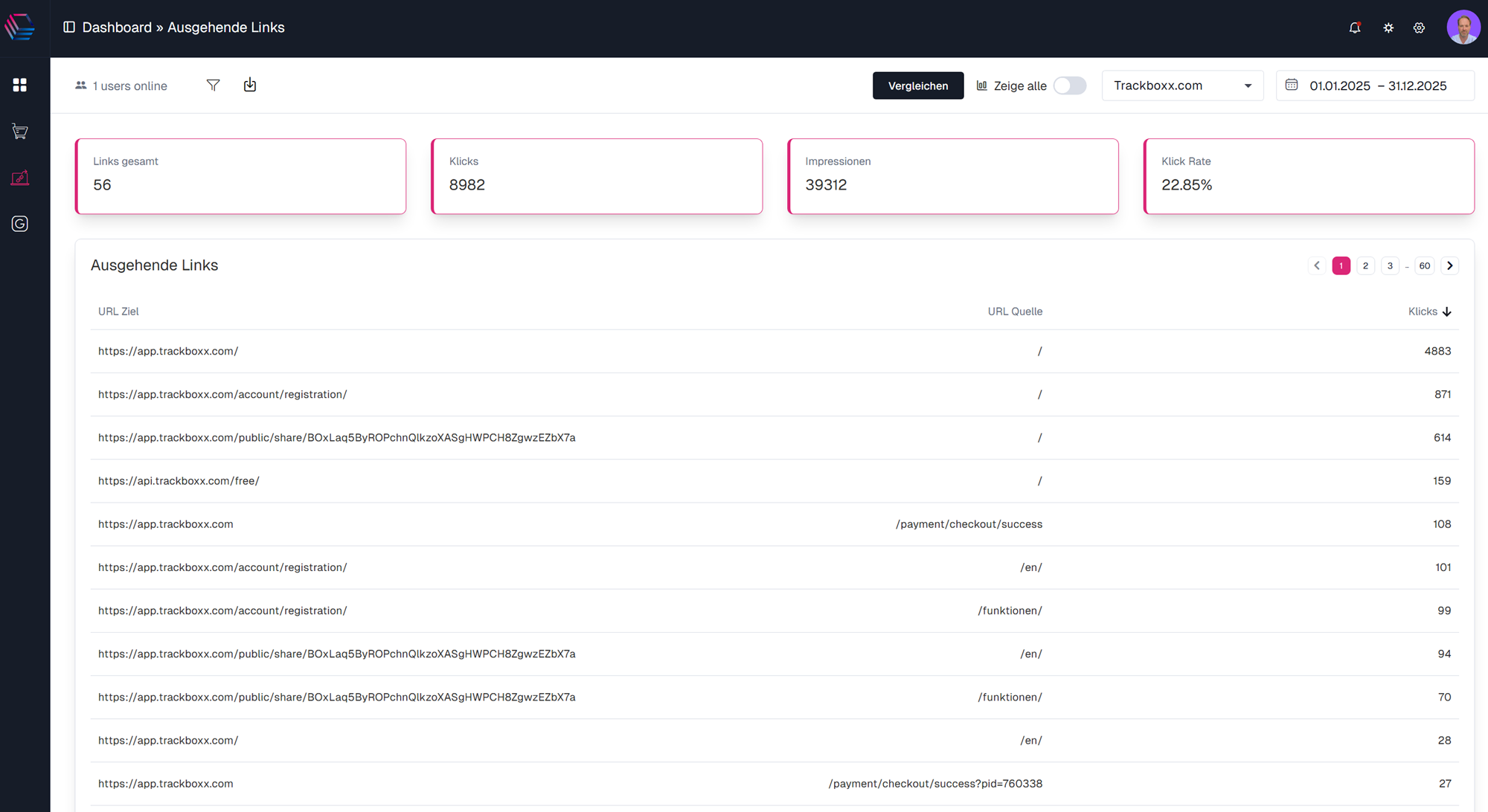
Do you want to know which outgoing links on your site are being clicked? With Trackboxx, it's no problem. Trackboxx automatically tracks every click on an external link.

Google Keywords

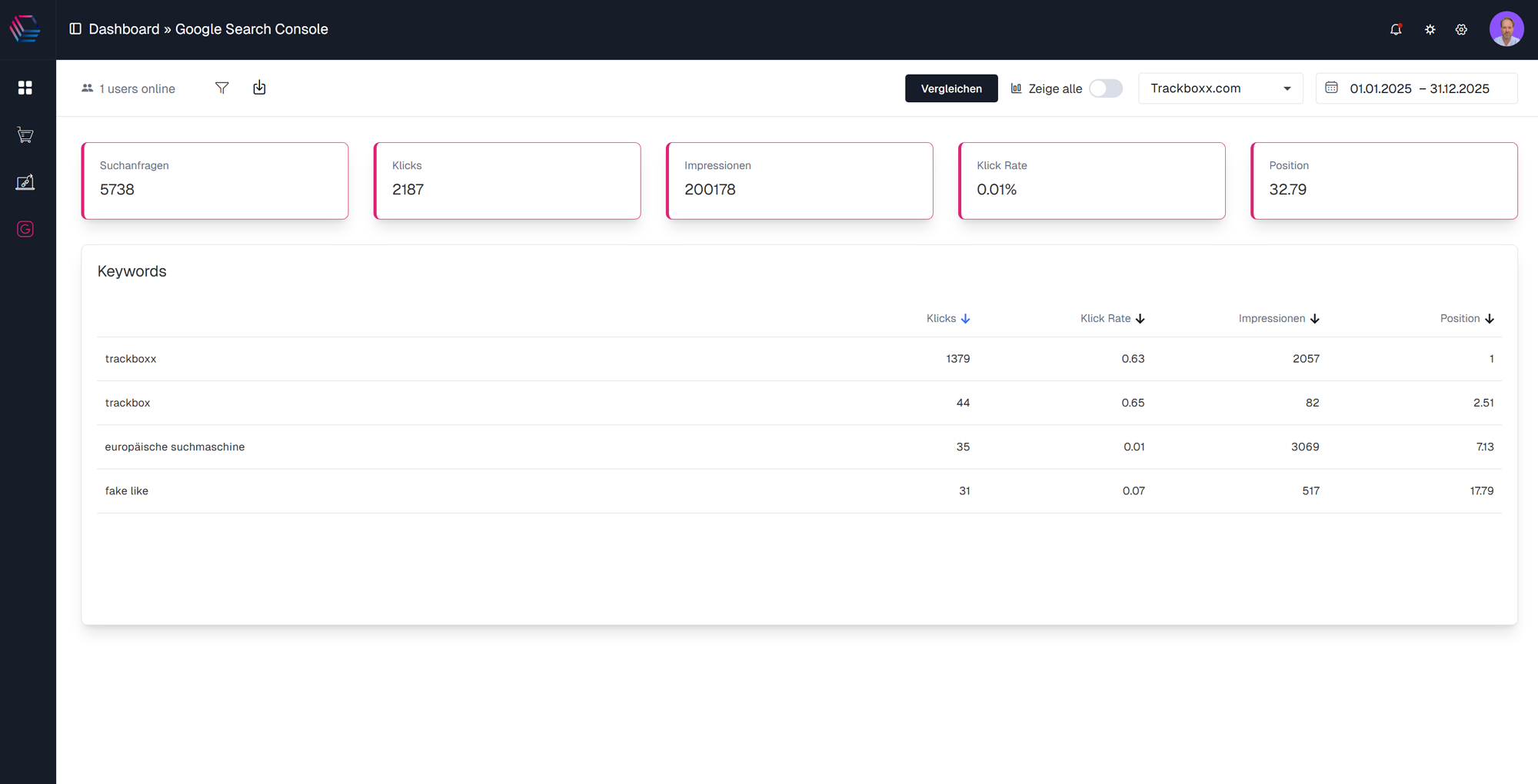
By linking with the Google Search Console, you get a complete overview of search terms on Google, clicks, and impressions directly in your Trackboxx dashboard.

Public Dashboard

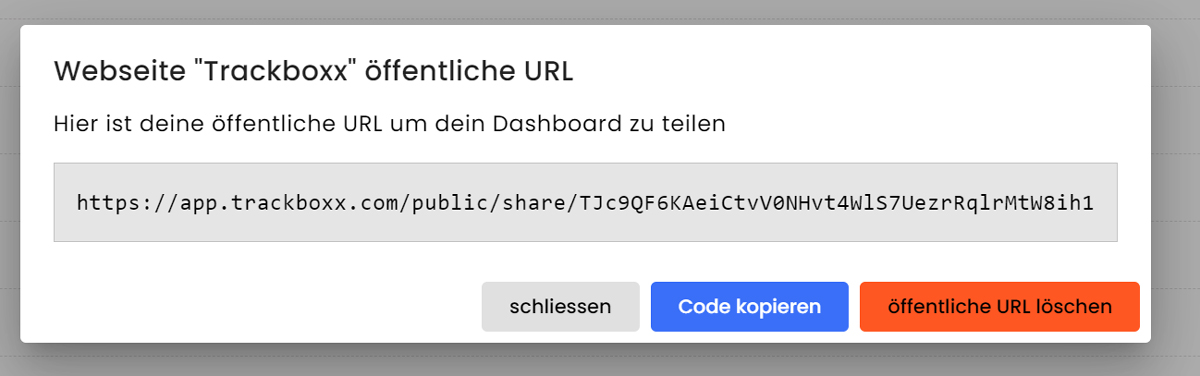
The Trackboxx allows you to create a public dashboard. Via the "public" URL you can offer your customers, business or advertising partners an insight into the traffic of your website. The public dashboard can also be embedded as an iFrame on a website of your choice.

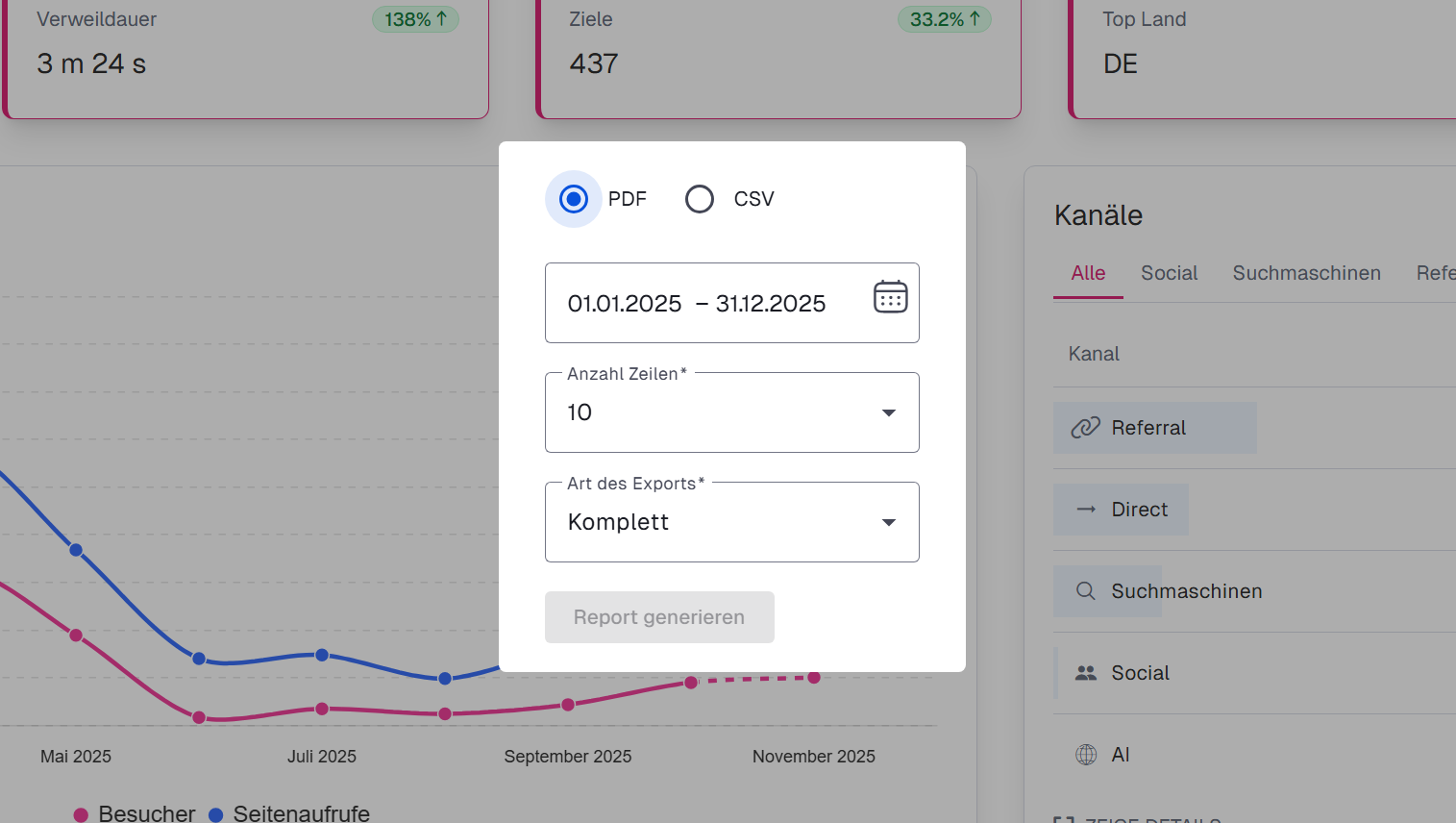
PDF reporting

The PDF report function is particularly popular with users who like to print out all important data or forward it to customers and partners. Tip: An alternative to the PDF report is the Trackboxx public dashboard.