By using the official Shopware plugin, all necessary settings are automatically made in your Shopware shop.
After a brief setup, all e-commerce data will then be automatically sent to Trackboxx.
What data can you collect with Trackboxx and your Shopware shop?
- All sales, including all related data such as time of sale, value, seller origin, and much more.
- Through which channel was the sale generated, e.g. Google, Ads, Affiliate, etc.?.
- shopping cart abandonment rate
- „Add to Cart“ actions (i.e. when and by which customers/channels were products added to the shopping cart)
- Accessing the shopping basket
- detailed analysis of shopping cart abandonment
Installation of the Shopware plugin
You can download the Shopare plugin free of charge at the following link. We will also be making it available directly from Shopware shortly.
Prerequisite for use
You need an account at Trackboxx in which you store your store URL to generate your personal tracking code.
Configuring the plugin
In the plugin settings, you just need to specify your Trackboxx ID. This will link Trackboxx to your store and then you can view various parameters in the dashboard at Trackboxx.
You can find the required ID in your Trackboxx account.
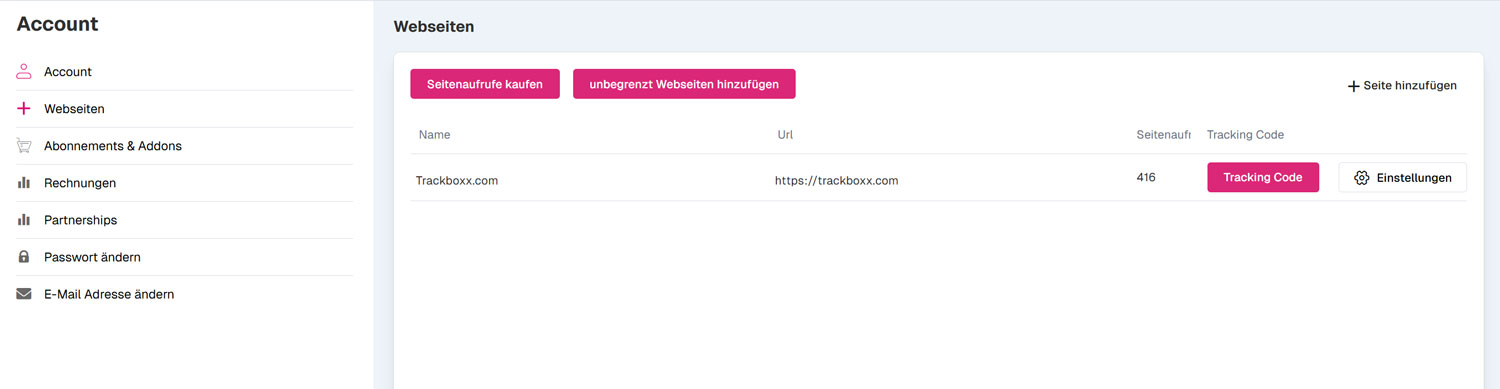
Under "Your website(s)", click the "Tracking code" button. You will find your ID in the third last line.
here marked in "red"
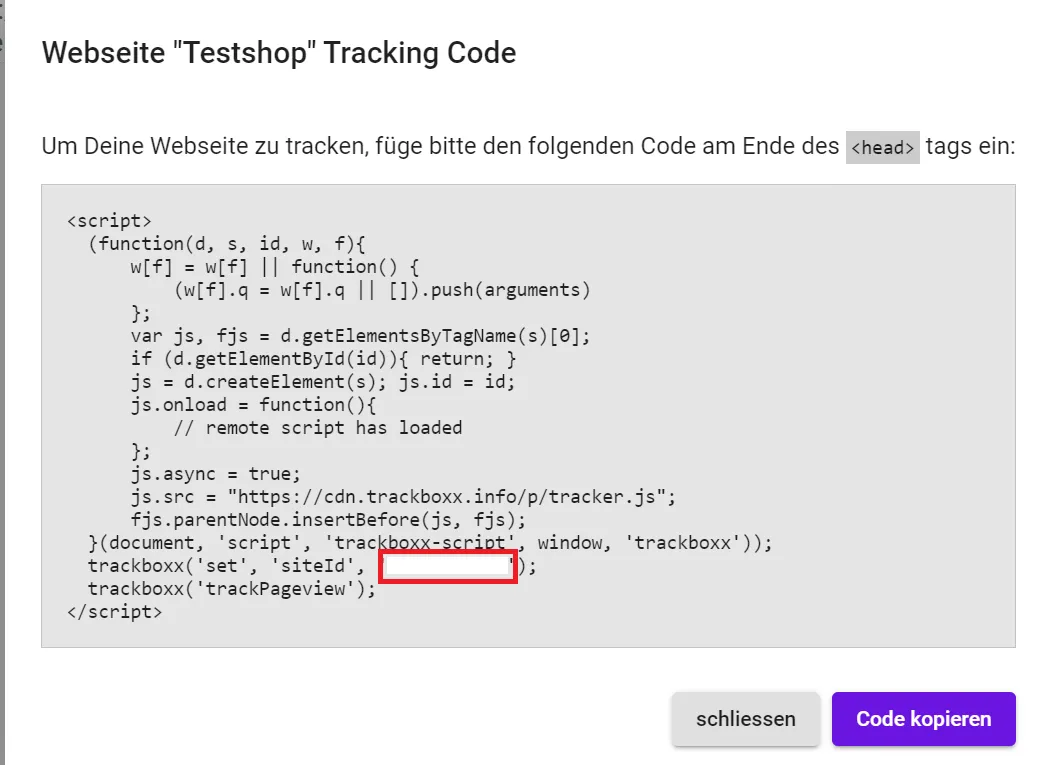
You just have to copy and paste them in the plugin under.
The plugin transmits the net prices, not the gross prices, of your sales.