Choosing the right CMS is a key decision for Companies, bloggers and web developers. There are numerous options with different functions, advantages and disadvantages. But which CMS is the best for your individual needs? In this article, we will help you decide by analyse different CMS types and their advantages and disadvantages illuminate.
What is a CMS and is it possible without one?
A content management system (CMS) is a software with which Content can be created, managed and edited on a website without the need for in-depth programming knowledge. The most important functions include User management, design customisation and content publishing.
But can you manage without a CMS? Yes, if you are proficient in HTML, CSS and JavaScript or use static website generators such as Jekyll or Hugo, you can run a website without a CMS. However, this is often more complex and less user-friendly.
Do customised websites also need a CMS?
Customised websites do not necessarily have to use a CMS, but it can be useful in many cases. If your website is updated regularly or several people need to manage content, a CMS makes your work much easier. A CMS is particularly helpful for larger projects with many subpages in order to keep your Organise content efficiently.
However, if you operate a small, static website with few changes, you can do without a CMS and instead implement (or have implemented) a lean, individually programmed solution. The decision therefore depends heavily on your needs and the complexity of your website.
Customised website also possible with (standard) CMS
Even if you use a popular CMS such as WordPress, you can still customise and program your website. Through Own themes, customised plugins or working directly with the code WordPress, for example, is highly customisable.
The most popular CMS including advantages and disadvantages
There are a variety of CMS solutions on the market. Below we present the best-known ones - with their advantages and disadvantages:
1. wordpress
WordPress is by far the most popular CMS and is particularly suitable for blogs, company websites and, thanks to "extensions" such as WooCommerce, also for smaller online shops. With a huge community and numerous plugins, you can add almost any function.
Advantages:
- Market share of over 40 %, huge community
- Countless plugins and themes
- User-friendly, even for beginners
- Integrated SEO and blogging functions
Disadvantages:
- Security risks due to many plugins
- Performance can suffer without optimisation
2. joomla
Joomla is a powerful CMS with many expansion options. It is particularly suitable for complex websites, portals and communities.
Advantages:
- More flexible than WordPress
- Good user management
- Expandable functions through modules
Disadvantages:
- Higher learning curve than WordPress
- Fewer plugins and themes
3. drupal
Drupal is an extremely flexible and secure CMS that is mainly used for large, complex web projects. If you are looking for a scalable and secure solution, Drupal could be the right choice.
Advantages:
- High flexibility and scalability
- Very safe and powerful
- Good multilingualism
Disadvantages:
- Complex operation, more suitable for developers
- Fewer templates and extensions than WordPress
4. typo3
Typo3 is a professional CMS that is mainly used in companies and for large websites with a lot of editorial content. If you are looking for a powerful and flexible platform but are prepared to accept a higher learning curve, Typo3 is worth considering.
Advantages:
- Very powerful and flexible
- Ideal for corporate websites
- Extensive rights management
Disadvantages:
- Steep learning curve
- High demands on hosting and maintenance
5. shopify (for e-commerce)
If you want to run an online shop, Shopify is one of the best solutions. It offers a user-friendly interface and many e-commerce features that will help you build your business quickly.
Advantages:
- Ideal for online shops
- Simple operation
- Many payment options integrated
Disadvantages:
- Monthly costs
- Limited customisation options without a developer
Is a customised CMS worthwhile?
A customised CMS can be useful if you have very specific requirements that cannot be covered by existing systems. A customised CMS offers maximum flexibility and can be tailored exactly to your needs.
Advantages:
- Customised functions
- High security, as there are no standard security vulnerabilities
- No dependence on third-party providers
Disadvantages:
- High development costs
- Longer development time
- Maintenance and updates must be carried out by the customer

Website builder: Partly legitimate alternative to CMS
Homepage construction kits like Wix, Squarespace or Jimdo are an interesting alternative to classic CMS. They are primarily aimed at Users without prior technical knowledge and make it possible to quickly create a website using ready-made designs and drag-and-drop editors. A website builder is usually based on a CMS, which is fully managed by the provider. This means that you don't have to worry about Updates, hosting or security The provider provides the CMS and takes care of all other tasks for you. So you pay for simplicity with a little less flexibility.
Conclusion: individual needs decide
Choosing the right CMS depends heavily on your requirements. WordPress is suitable for blogs and company websites, Joomla and Drupal are designed for more complex websites, while Shopify is ideal for online shops. If you want maximum control and customisation, you can consider using your own CMS, but you will need to plan time and budget for this.
By the way: If you want to find out, which CMS a specific website usesyou can use free online tools. Simply search for "Which CMS is used" or google "CMS Detector".
Web analytics - with any CMS
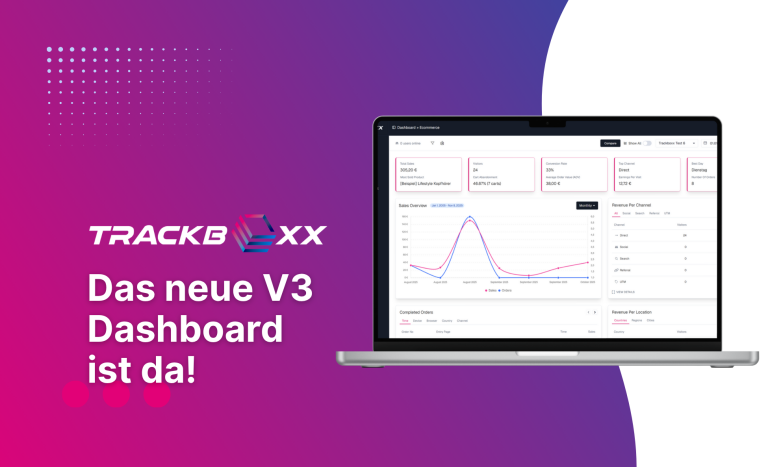
No matter which CMS you choose: Trackboxx, our GDPR-compliant Google Analytics alternativecan be easily integrated. Not yet familiar with our tracking tool? Then just take a look at our live demo, find out about the Functionality or directly conclude a free 30 day trial account from.